
MotW, SmartScreen and how to bypass it using good old DLL Hijacks
What MotW actually is
MotW (Mark of the Web) has been around since Windows XP SP2. It is essentially an
alternate data stream on NTFS, named Zone.Identifier, which holds metadata about
where a file came from when it is downloaded from the network. The part that
actually matters is a single line, ZoneId=3 (the internet zone); some applications
additionally record the origin and referrer URL, but those are optional.
The mark is set on files coming from the internet, the kind actors abuse for
malicious purposes. It also carries over through the common archive formats like
.zip or .rar: when a compliant tool unpacks an archive that has the mark, it
propagates MotW onto the extracted files. .iso is the notorious exception, for
years mounting an image did not propagate the mark to the files inside, which was a
bypass in its own right until Microsoft fixed it in late 2022.
How SmartScreen uses it
This stream is essential for Microsoft Defender SmartScreen to find files which may be malicious and part of a phishing attempt or kill chain.
When a user wants to execute a file containing the MotW (by e.g. clicking on it), the mark triggers SmartScreen to look up the file's reputation, its hash and signature, against Microsoft's cloud. If the file is unknown or untrusted it may prevent execution and shows this prompt:
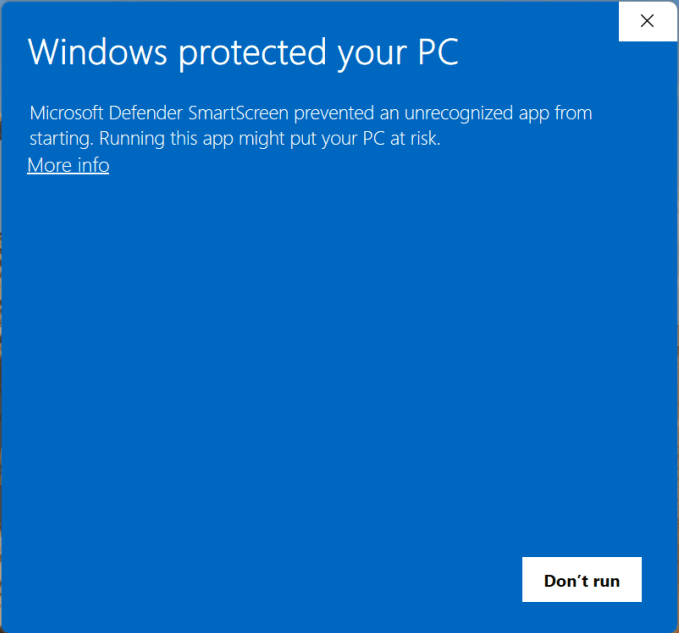
This makes tricking users into executing the first stage loader in red-teaming engagements much harder.
Earlier bypasses
Over time multiple ways around it were found. The earliest were bugs in SmartScreen where the MotW was not inherited when archives got unpacked, either by explorer itself or by third party software.
Others change the initial infection completely by convincing the user to copy and paste powershell code into the terminal, the address bar of the explorer and more. This technique is called ClickFix.
Bypassing it with a DLL hijack
But out of all the new techniques that came up since the introduction of MotW, the most elegant one (in my opinion) is abusing a flaw in a signed executable to sideload your own code. This is possible because SmartScreen is reputation-based and only checks the file the user actually launches: a signed, reputable binary sails straight through the check.
This specific variant, shipping the signed binary together with a malicious DLL it loads, is known as DLL sideloading (MITRE ATT&CK T1574.002), a sub-technique of the broader DLL hijacking family.
Surprisingly, Windows SmartScreen still does not care when an unsigned .dll
with a MotW sits beside the signed application that also has a MotW.
So finding any application which loads libraries at runtime using LoadLibrary or
where the loader searches for the library in the default search order is enough to
bypass SmartScreen completely.
One just needs to put the vulnerable signed binary and the malicious .dll into a
zip archive and convince the user to click on the binary.
Seeing it in action
The clip below shows exactly that: a zip holding a signed, reputable binary next to an unsigned DLL. The user extracts it and runs the binary, the DLL gets sideloaded, and SmartScreen never says a word.
Renaming the signed binary
Since code-signing only signs the content of the executable and not the executable's name, one can also rename the binary to make it look more legit for the context in which one wants to phish a user.